

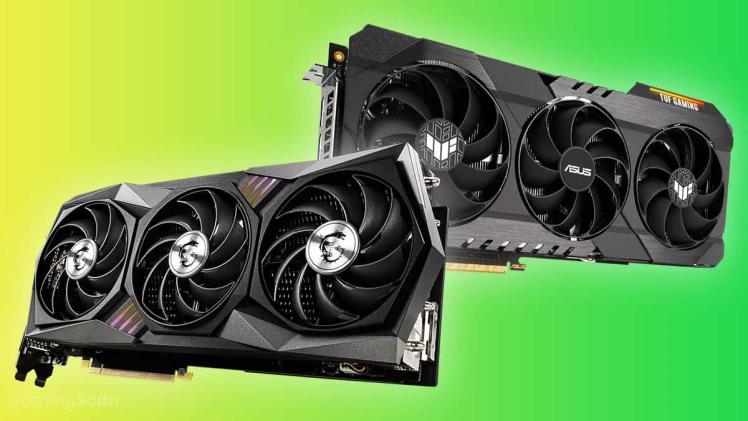
A graphic card is a software or hardware component that enables a computer to display and manipulate images. A graphics card is an integrated card with the primary purpose of producing output images for a display medium like monitors, High Definition (HD) TVs, LCD (Liquid Crystal Display) TVs, and projectors. The quality and intensity of the images you experience depend entirely on the video card or graphics card you have installed, whether you’re using a computer to watch your favourite movies, play massively multiplayer online games, or just scan or upload pictures.
Modern high-performance GPUs are used for PC games, particularly those with demanding graphics. Most of these graphics cards, like RTX 3050/ Graphics card for sale, offer extra features, including the ability to connect multiple monitors, decode MPEG-2/MPEG-4, decode 3D scenes and 2D graphics more quickly, capture video, act as a TV tuner adaptor, and output TV signals. For this reason, the term ‘graphics card’ is also called a graphics accelerator, display adapter, and video adapter.
Components of graphics cards
The following are the components found in current graphics cards:
Graphics processing unit (GPU)
A GPU is a specifically designed processor to speed up visuals. It carries out the essential floating-point operations required to render 3D visuals and create 2D images. The GPU’s core clock frequency helps converts a 3D image of lines and vertices into a 2D image of pixels and this is one of its key characteristics.
RAMDAC
Digital signals must be transformed into analogue signals to be displayed on a computer screen that accepts analogue inputs. The RAMDAC, or Random Access Memory Digital-Analog Converter, is used for this. RAMDAC regulates the graphics card’s performance just like the RAM chip.
Video Memory
The Z-buffer is one of the numerous pieces of data stored in video memory along with the screen image. The Z-buffer controls the depth coordinate in 3D graphics, vertex buffers, textures, and written shader programmes.
Video BIOS
The core software that governs how the graphics card functions and tells the computer and applications how to communicate with it is found in the video BIOS, commonly referred to as the firmware. The video BIOS may present relevant data like memory timing, the Random Access Memory (RAM), operating speeds, and voltages of the graphics processor.
Power demands
These days, powerful graphics cards frequently consume a lot of electricity. The more computing power a graphics card has, the more energy it consumes. Though efforts are being made to develop modern CPUs and make power supplies more efficient, the rising power requirements of GPU makes the graphics card the computer’s biggest power consumer.
Cooling equipment
If the heat is not released into the atmosphere, the graphics card will overheat and become damaged. In order to solve this problem, designers included cooling technology in the most recent RTX 3050/Graphics card for sale, which permits heat to be moved elsewhere. Three different kinds of cooling techniques are applied to a card- setting up a water block, computer fan, and a passive heat sink cooling system.
Output
There must be a connection between the display modules and the graphics cards. The most popular methods of establishing a connection between the two are- the High-Definition Multimedia Interface (HDMI) method, which is frequently employed for game consoles; the Video In Video Out (VIVO) method for establishing a connection between televisions, DVD players, video game consoles; and video recorders; and the Digital Visual Interface (DVI), which is used by flat-panel LCDs and projectors.
That was it! Hope you find this article helpful. These are the seven components of a graphics card.
